

Open the calculator settings
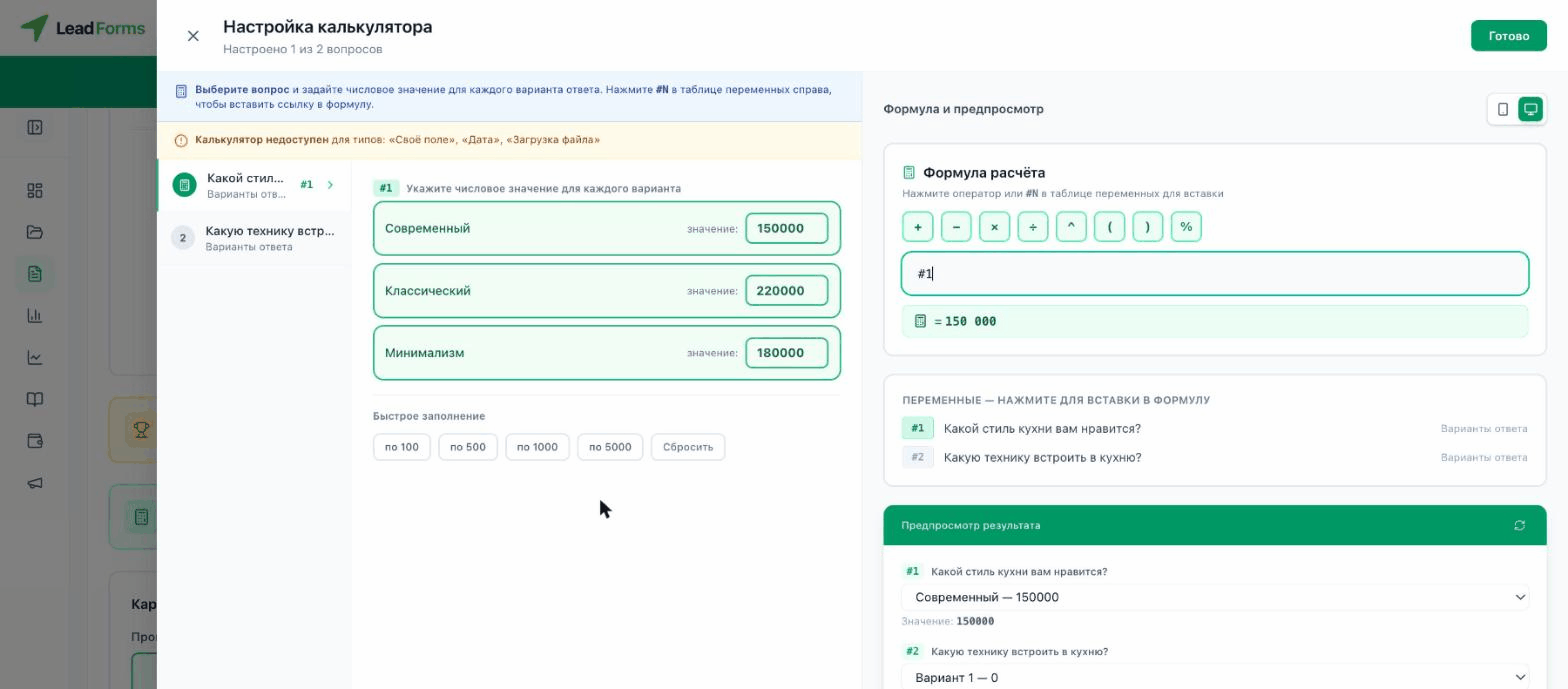
Open the quiz and go to the “Editor” tab → “Results” step → “Set up calculator” button. It is not available for custom field, date and file upload questions.
Give each answer a numeric value
Choose a question on the left and enter the “value” of each option. The quick-fill buttons (by 100, 500, 1000, 5000 or reset) fill in the values in order with one click.
Build the formula
In the “Calculation formula” block, click the operators (
+ − × ÷ ^ ( ) %) and the variables #1, #2… (each one is a question from the “Variables” list on the right) to build the expression. The calculated result appears below the formula.Check it in the preview
In the “Result preview” block, pick different answers for each question and make sure the total comes out right before you save.
