

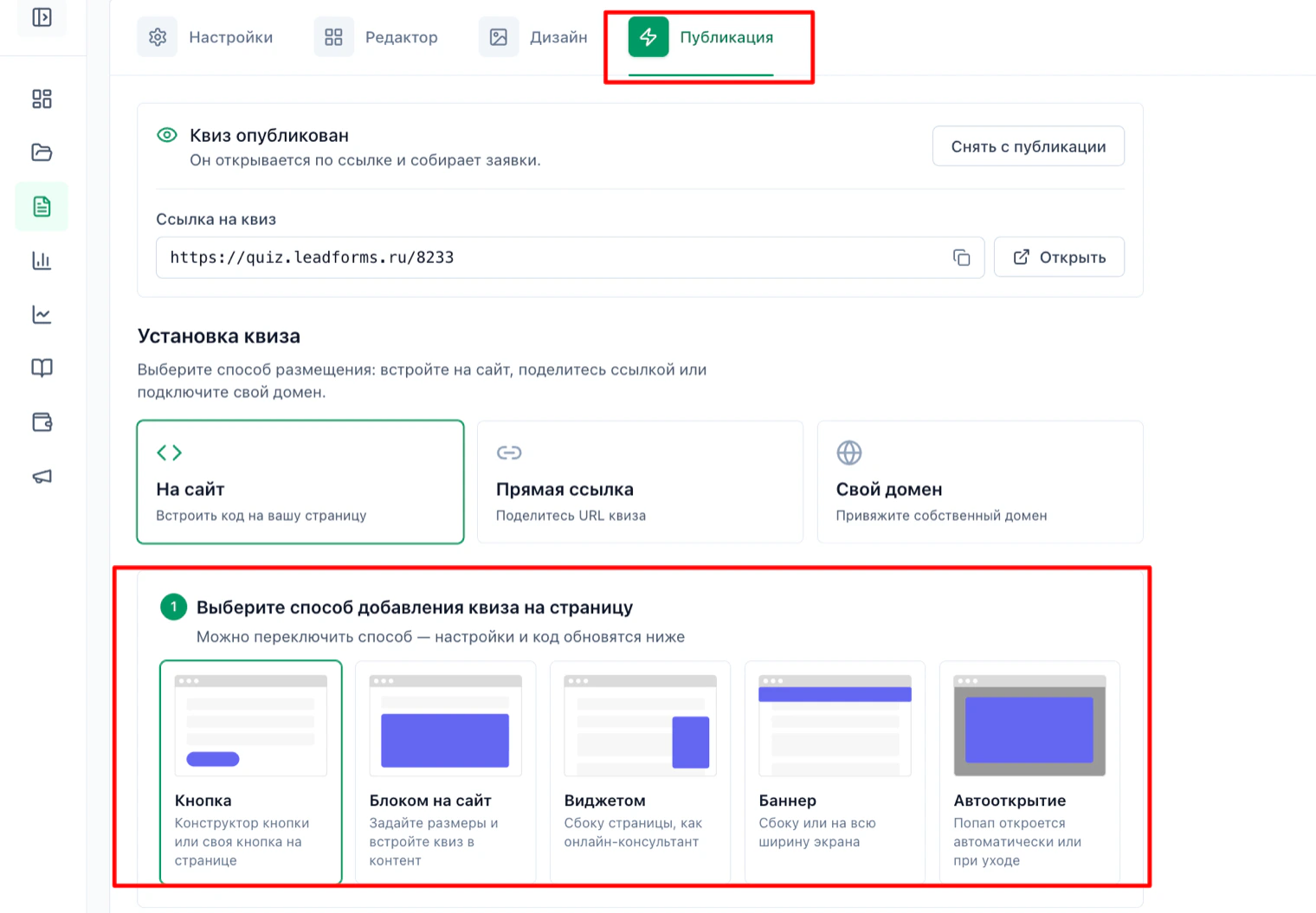
Open “Publish” in the quiz editor and choose the format
Choose the “On website” placement and, below it, how the quiz will appear: button, block, widget, banner or auto-open.
Copy the initialization code
Click “Copy” under the code for the
<head> block. You only need this script once for the whole app: there is no need to add it to every component.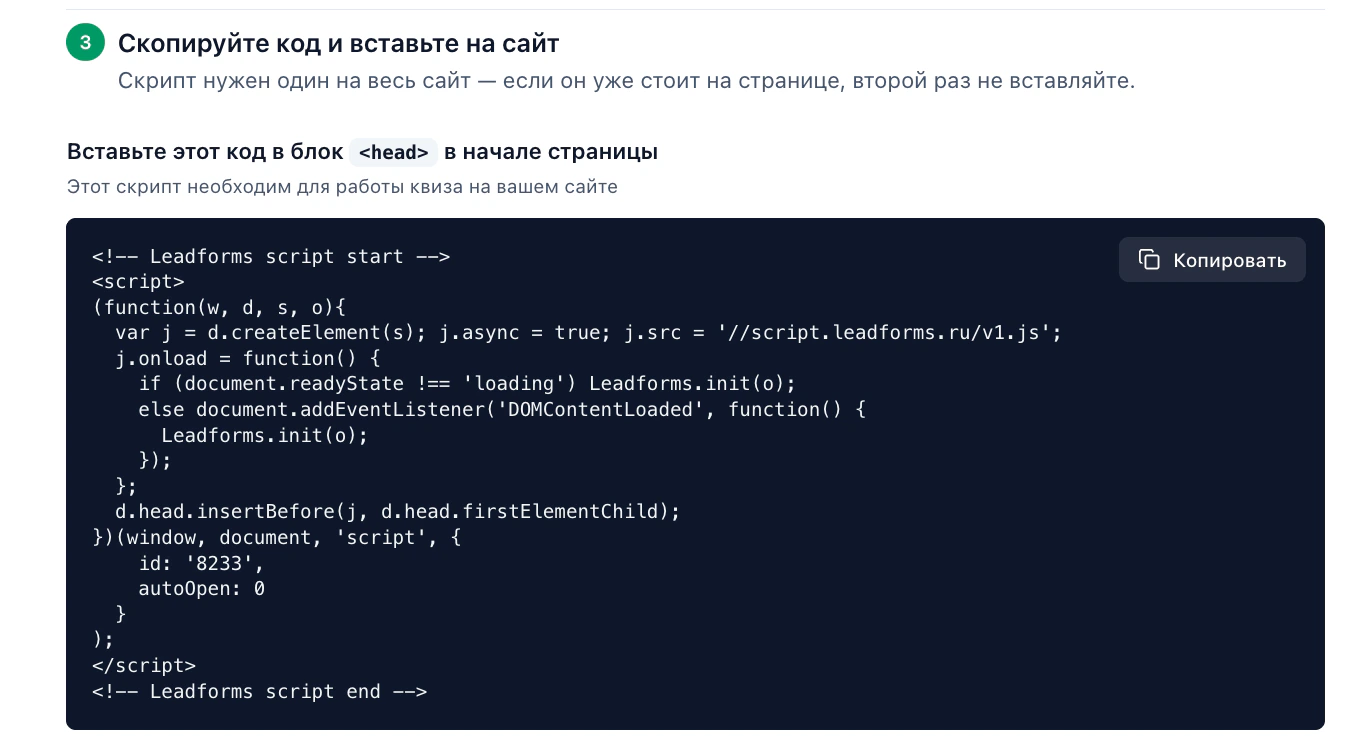
Paste the script into
index.htmlWhere the file is: in Vite,
index.html in the project root; in Create React App, public/index.html. Paste the copied code into <head>, before </head>.Why there and not inside a component: React does not execute
<script> tags that end up inside JSX, so the code simply does not run there.<!doctype html>
<html lang="en">
<head>
<meta charset="UTF-8" />
<title>My site</title>
<!-- Leadforms script start -->
<!-- paste the copied code here -->
<!-- Leadforms script end -->
</head>
<body>
<div id="root"></div>
<script type="module" src="/src/main.jsx"></script>
</body>
</html>If you use Next.js
Next.js has no
index.html file. Load the script with the next/script component in the root layout, so it reaches every page:// app/layout.jsx
import Script from 'next/script'
export default function RootLayout(props) {
return (
<html lang="en">
<body>
<Script
id="leadforms"
src="//script.leadforms.ru/v1.js"
strategy="afterInteractive"
onLoad={initQuiz}
/>
{props.children}
</body>
</html>
)
}The
initQuiz function calls window.Leadforms.init with the same parameters as the copied code: your quiz id and autoOpen.Open the quiz from your own button
The simplest way in React is to add a handler to the button. The
Leadforms.showModal method takes your quiz ID.function QuizButton() {
function openQuiz() {
if (window.Leadforms) {
window.Leadforms.showModal('8233')
}
}
return (
<button type="button" onClick={openQuiz}>
Take the quiz
</button>
)
}Replace
8233 with your quiz ID: you will find it in the initialization code, in the id field.The link option
The quiz also opens from a regular link whose address is
#popup:Leadforms_ID:<a href="#popup:Leadforms_8233">Take the quiz</a>Important: it has to be a plain
<a>, not <Link> from React Router or Next.js. The router would intercept the navigation and try to find a route instead of passing the hash to the widget.If you want the quiz as a block inside the page
The code from the “Publish” tab contains
<script>, so pasting it into JSX does nothing. Instead, add a container and call Leadforms.add in useEffect.import { useEffect } from 'react'
const QUIZ_ID = '8233'
function QuizBlock() {
useEffect(function () {
const params = { id: QUIZ_ID, buttonText: 'Take the quiz' }
function add() {
window.Leadforms.add(['Button', params])
}
if (window.Leadforms) {
add()
} else {
document.addEventListener('leadformsLoaded', add)
return function () {
document.removeEventListener('leadformsLoaded', add)
}
}
}, [])
return <div data-leadforms-id={QUIZ_ID} />
}The
window.Leadforms check is needed because the component can mount before the widget script loads.Watch out for StrictMode in development
In React 18 and later,
This only happens locally; it does not happen in the production build. If it gets in the way while debugging, temporarily remove
<StrictMode> mounts the component twice in development, so useEffect runs twice and two buttons may appear on the page.This only happens locally; it does not happen in the production build. If it gets in the way while debugging, temporarily remove
<StrictMode> in main.jsx or add a flag that prevents calling add a second time.What to keep in mind in an SPA
• The initialization script loads only once, when the app opens. It does not reload when the route changes, and that is expected.
• If the quiz is a block on a specific route,
• A button that uses
• If the quiz is a block on a specific route,
Leadforms.add is called in that component's useEffect, that is, every time someone enters that route.• A button that uses
showModal works on any route with no extra steps.Stuck with the setup?
If something does not work, and we will sort it out with you.
