

Open the thank-you screen
Open the quiz and go to the “Editor” tab → “Thank-you screen” step, then open the screen for editing.
Choose the “Redirect” ending
In the “Final screen type” block, choose “Redirect” (redirect to a URL). In the “Destination URL” field, paste the full page address, for example
https://example.com/thank-you.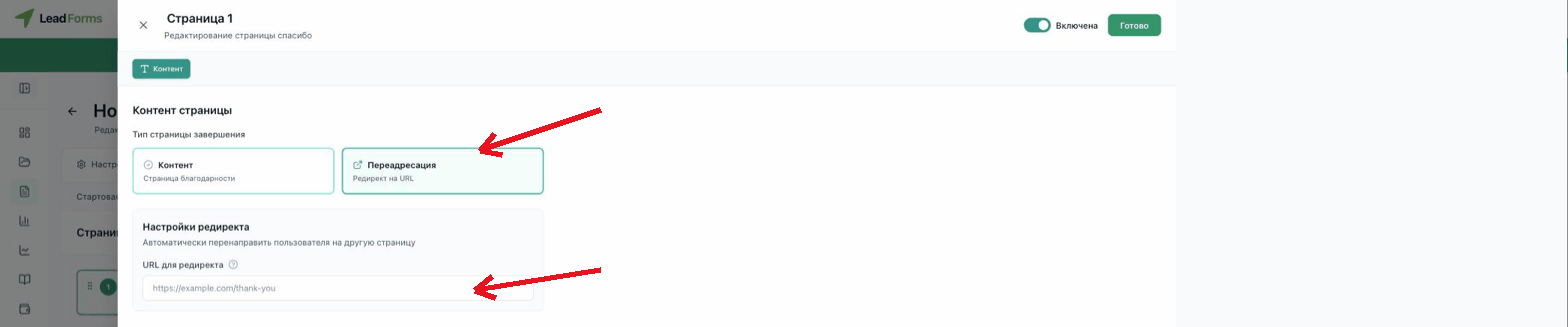
Done
Changes are saved automatically. The redirect fires when the person finishes the quiz and submits their details in the form.
