

Open test mode
Open the quiz and go to the “Editor” tab → the “Questions” step. Next to the “List / Diagram” view switch, click the “Test mode” button and turn it on with the “Enabled” toggle.
Mark the correct options
Pick a question on the left and, on the right, check the correct option or options. If you like, fill in the optional “Comment after answer” field: the person sees it together with the outcome of their answer.
This is not available for free text, date, slider, rating and file upload questions.
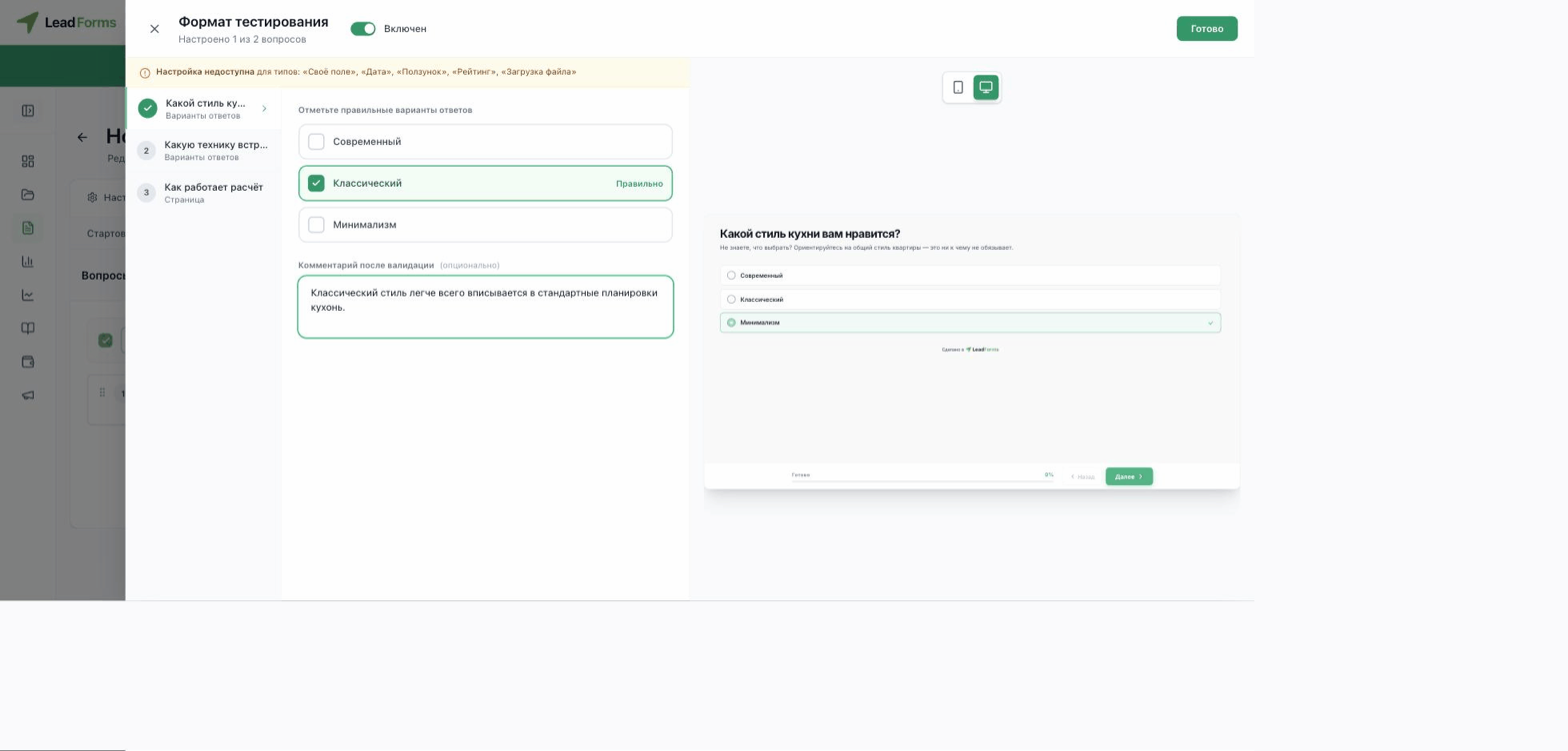
What people see
The preview on the right shows it: right after an answer, the correct option is highlighted in green and a wrong one is marked with a cross.
