

Why use it
The lead reaches Telegram the moment the person submits the form. No need to keep your dashboard open or refresh the list: the message comes straight to your phone.
Connecting takes about a minute, with no tokens to generate and no bot to set up: LeadForms already has its own bot, and you just link it to your quiz.
Connecting takes about a minute, with no tokens to generate and no bot to set up: LeadForms already has its own bot, and you just link it to your quiz.
Open the integration settings
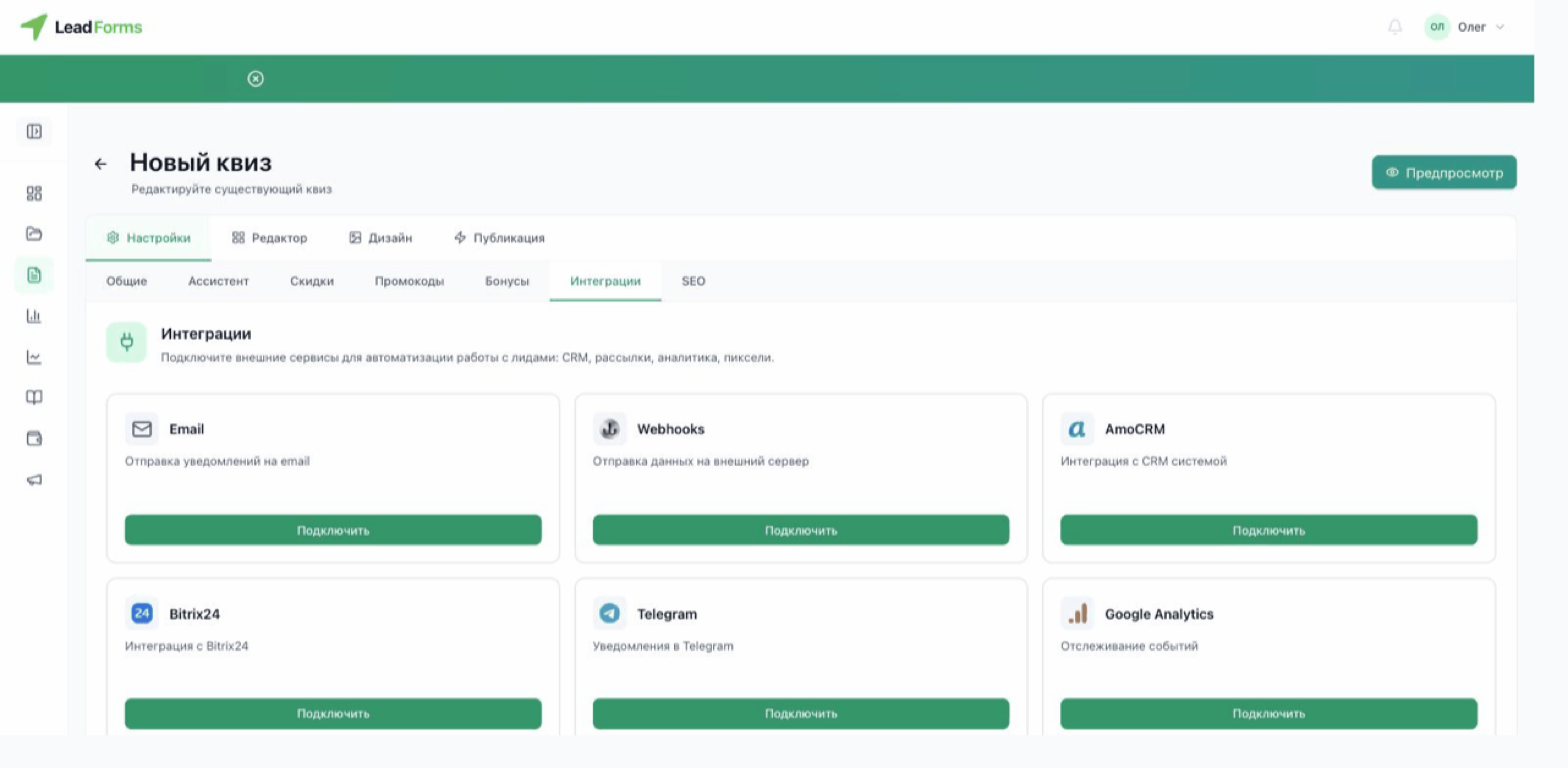
In your dashboard, open the quiz and go to the “Settings” tab → the “Integrations” section. Find the Telegram card and click “Connect”.
Click “Open Telegram”, then “Start”
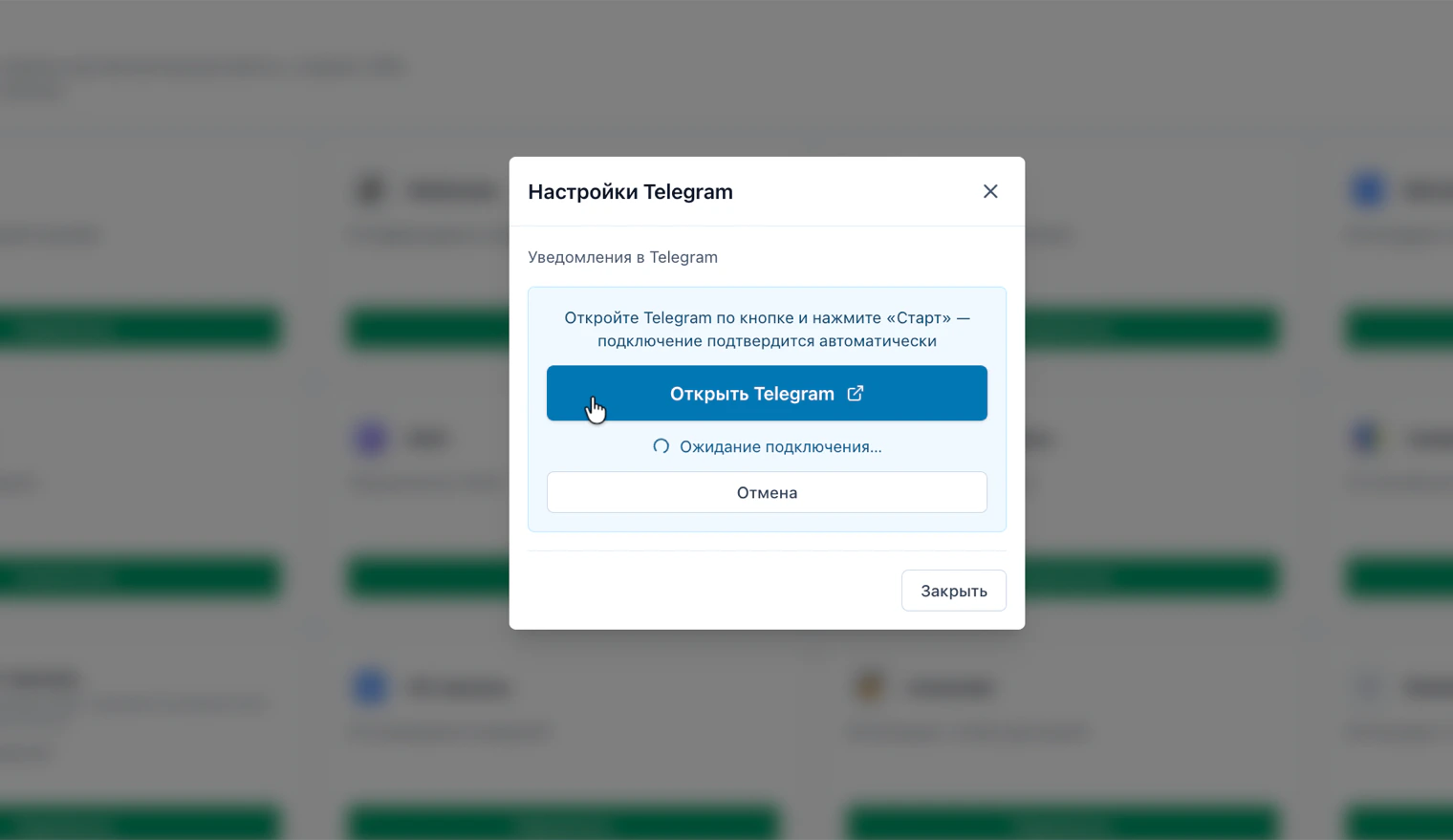
In the window that opens, click “Open Telegram”: a chat with the LeadForms bot opens. Click “Start” there.
The connection is confirmed automatically. Meanwhile, the window shows “Waiting for connection…”. No need to close it: the status updates on its own.
The connection is confirmed automatically. Meanwhile, the window shows “Waiting for connection…”. No need to close it: the status updates on its own.
Having trouble with the setup?
If something doesn't work, and we'll sort it out with you.
