

Open “Publish” in the quiz editor and choose a format
Choose “On website” and, below it, how the quiz will appear: button, block, widget, banner or auto-open.
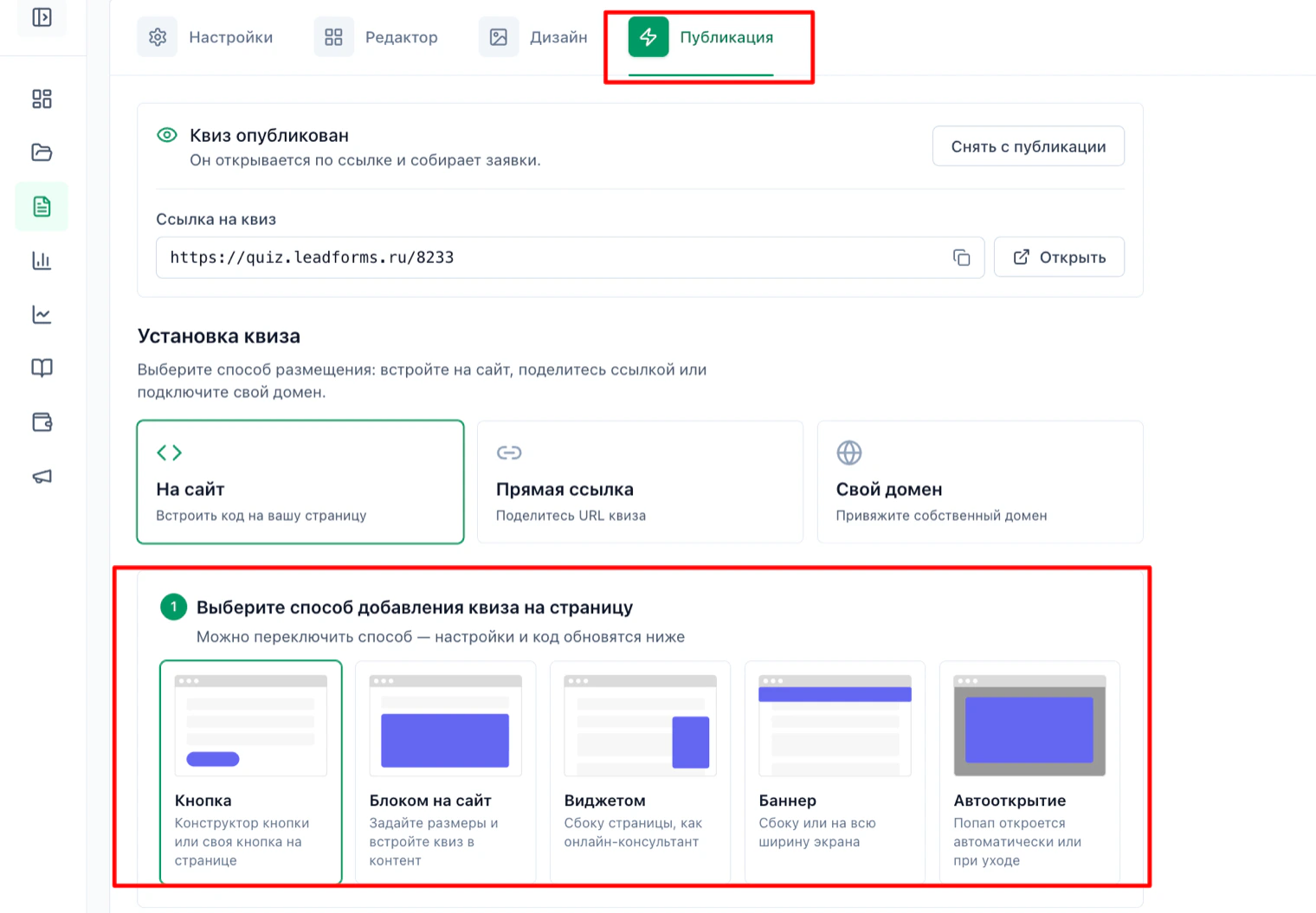
Copy the initialization code
Click “Copy” under the code for the
<head> section. You need this script only once for the whole app: don't add it to every component.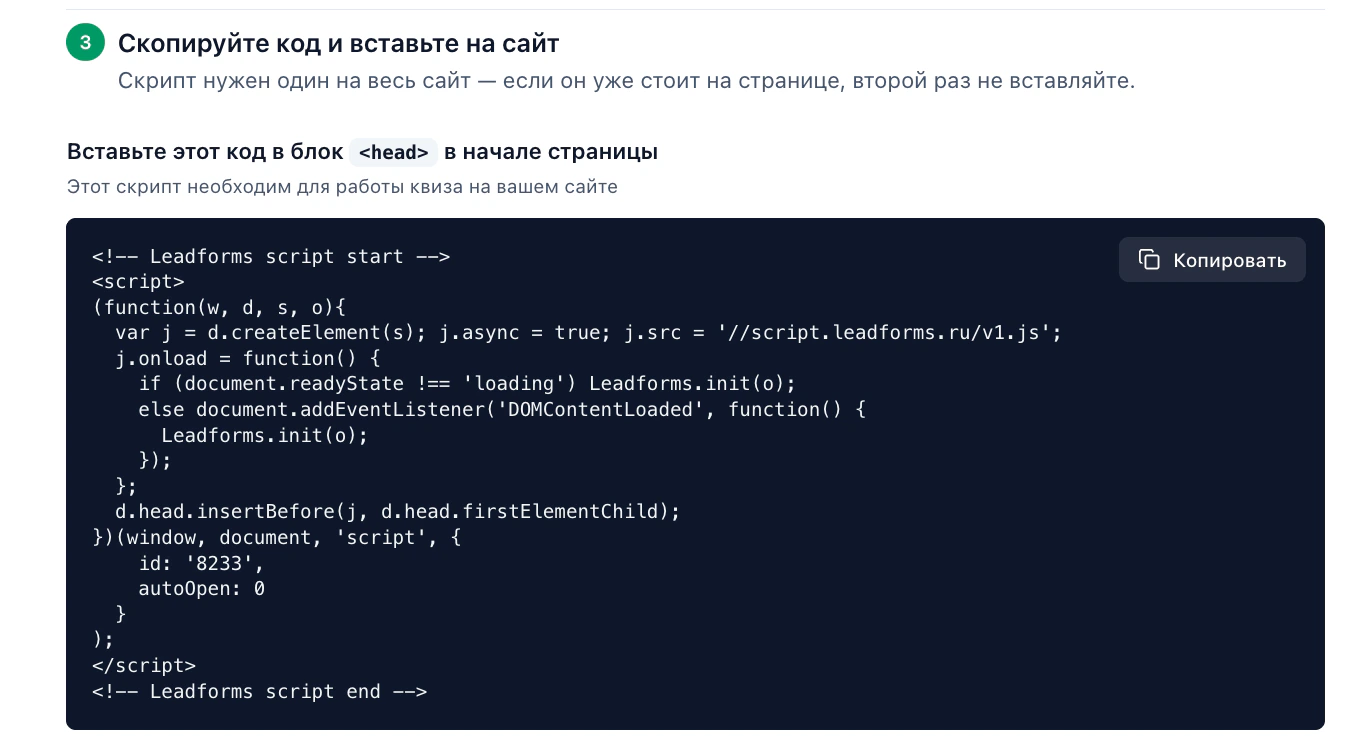
Paste the script into
index.htmlOpen
index.html in the project root (in Vite it sits next to package.json, in Vue CLI it is in the public folder) and paste the copied code into <head>, before </head>.Why there and not inside a component: Vue doesn't run
<script> tags inside templates, so the code simply won't start there.<!doctype html>
<html lang="en">
<head>
<meta charset="UTF-8" />
<title>My website</title>
<!-- Leadforms script start -->
<!-- paste the copied code here -->
<!-- Leadforms script end -->
</head>
<body>
<div id="app"></div>
<script type="module" src="/src/main.js"></script>
</body>
</html>Open the quiz from your own button
The simplest way in Vue is a click handler on the button. The
Leadforms.showModal method takes your quiz ID.<template>
<button type="button" v-on:click="openQuiz">
Take the quiz
</button>
</template>
<script setup>
function openQuiz() {
if (window.Leadforms) {
window.Leadforms.showModal('8233')
}
}
</script>Replace
8233 with your quiz ID: you'll find it in the initialization code, in the id field.Using a link
The quiz also opens from a regular link with the address
#popup:Leadforms_ID:<a href="#popup:Leadforms_8233">Take the quiz</a>Important: it must be a plain
<a>, not <router-link>. Vue Router would intercept the navigation and look for a route instead of passing the hash to the widget.If you want the quiz as a block on the page
The code from the “Publish” tab contains
<script>, so pasting it into a Vue template does nothing. Instead, add a container and call Leadforms.add once the component is mounted.<template>
<div data-leadforms-id="8233"></div>
</template>
<script setup>
import { onMounted } from 'vue'
const params = { id: '8233', buttonText: 'Take the quiz' }
onMounted(() => {
if (window.Leadforms) {
window.Leadforms.add(['Button', params])
} else {
// the script is still loading: the widget will pick up the call from the queue
document.addEventListener('leadformsLoaded', function () {
window.Leadforms.add(['Button', params])
})
}
})
</script>The
window.Leadforms check is needed because the component may mount before the widget script loads.What to keep in mind in an SPA
• The initialization script loads once, when the app opens. It doesn't reload on route changes, and that is expected.
• If the quiz is a block on a specific route,
• A button that uses
• If the quiz is a block on a specific route,
Leadforms.add is called in that component's onMounted, that is, every time someone enters that route.• A button that uses
showModal works on any route with no extra steps.Having trouble with the setup?
If something doesn't work, and we'll sort it out with you.
