

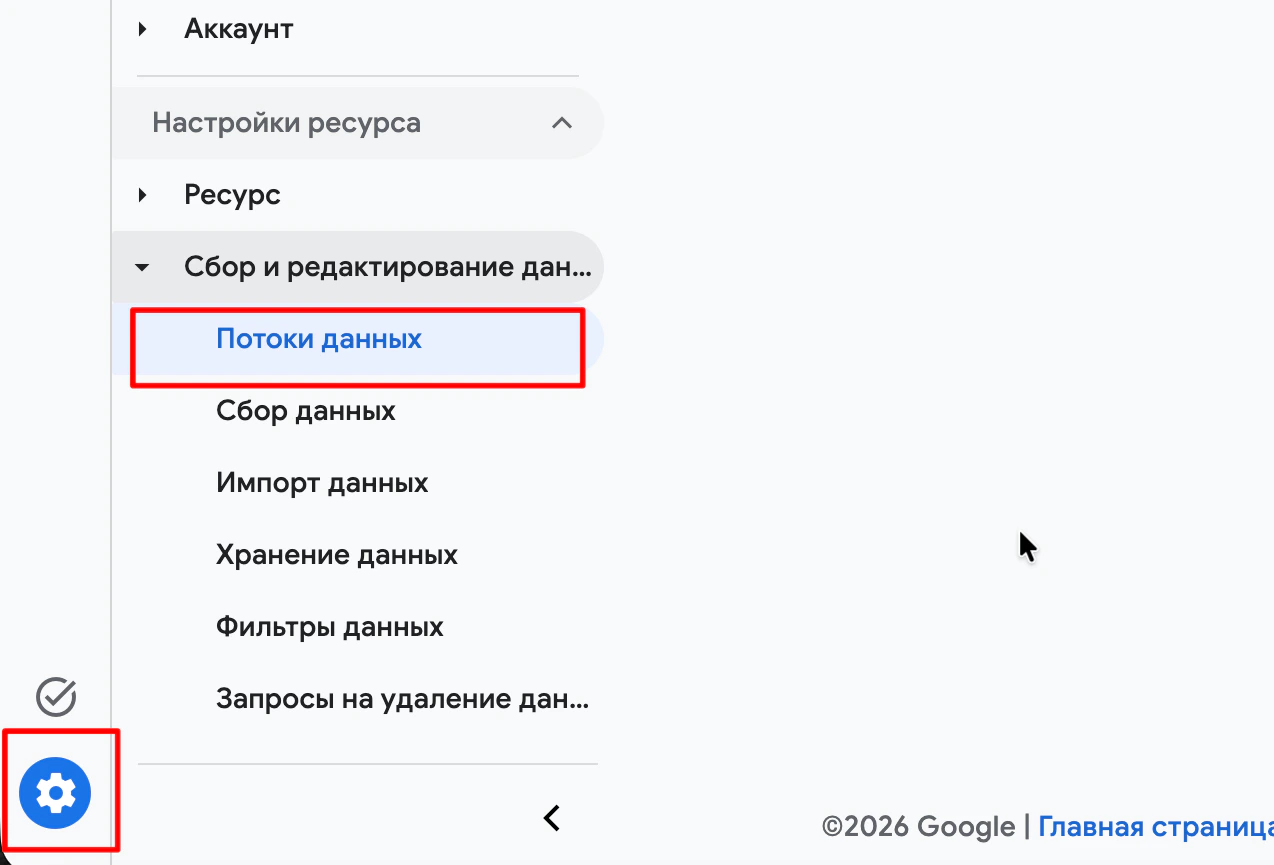
Log in to Google Analytics, open “Admin” → “Data streams” and choose yours
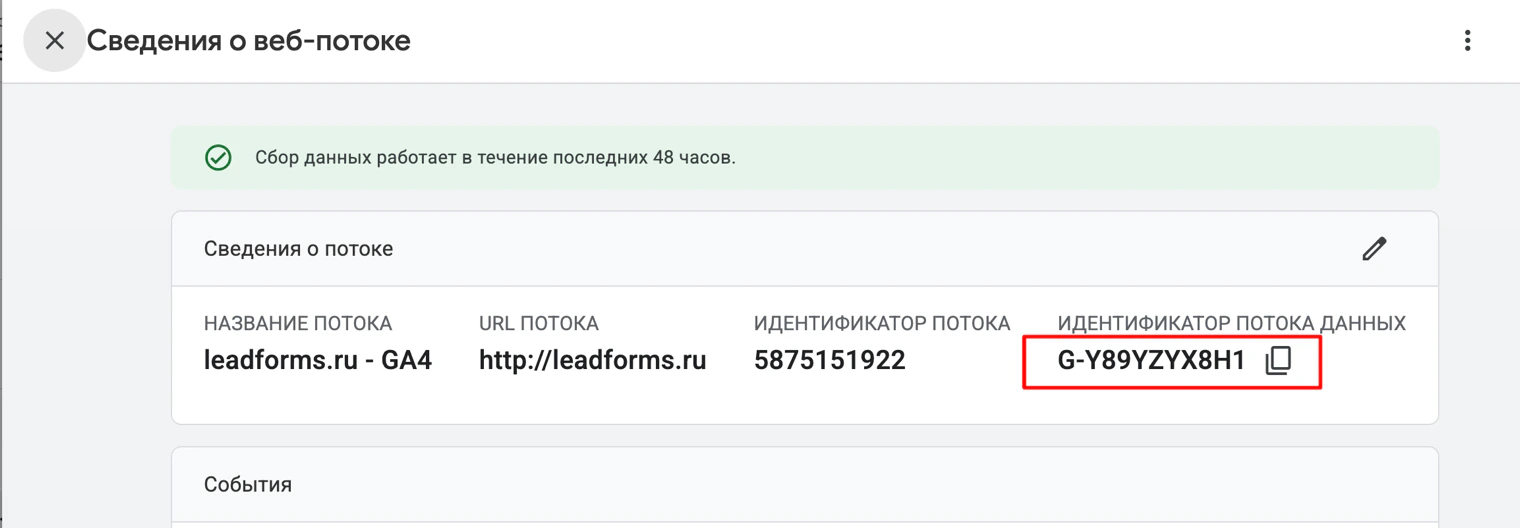
Copy the “Measurement ID”: it looks like G-XXXXXXXXXX
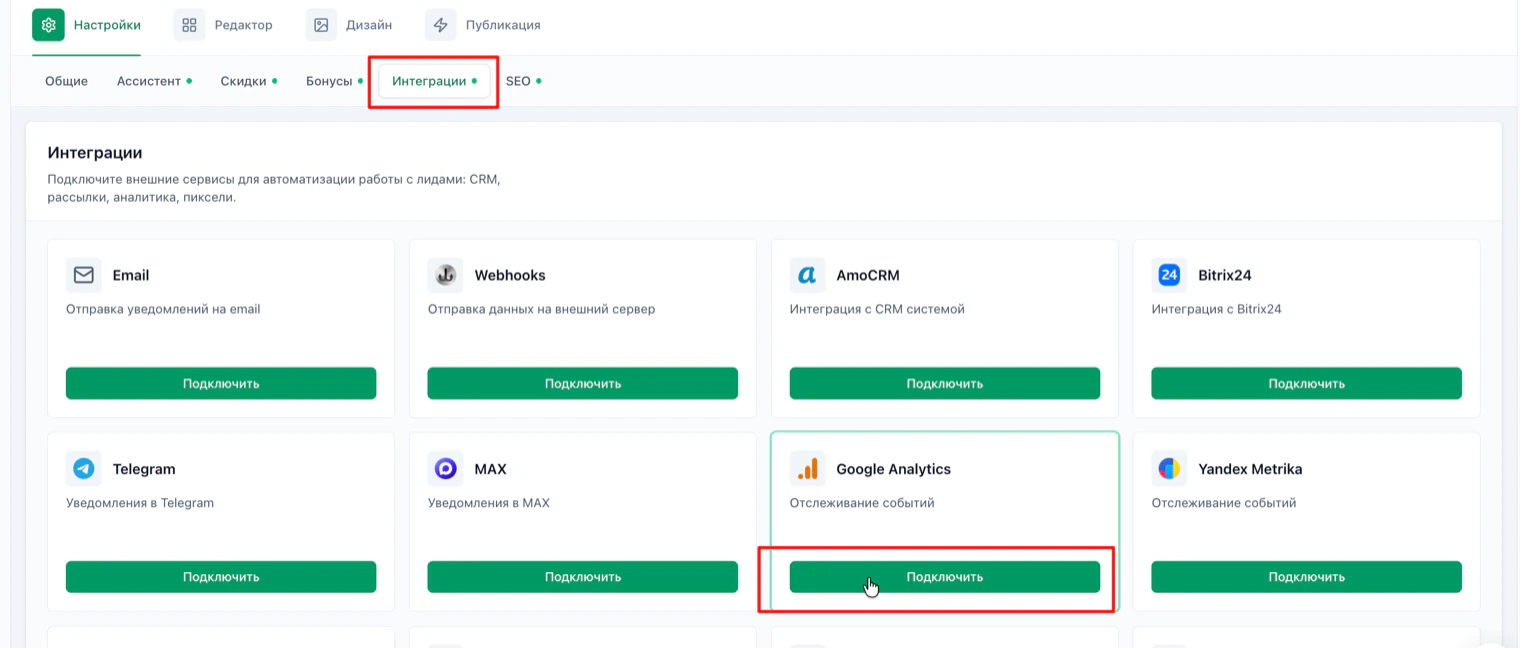
In the quiz, go to “Settings” → “Integrations” and click “Connect” on the Google Analytics card
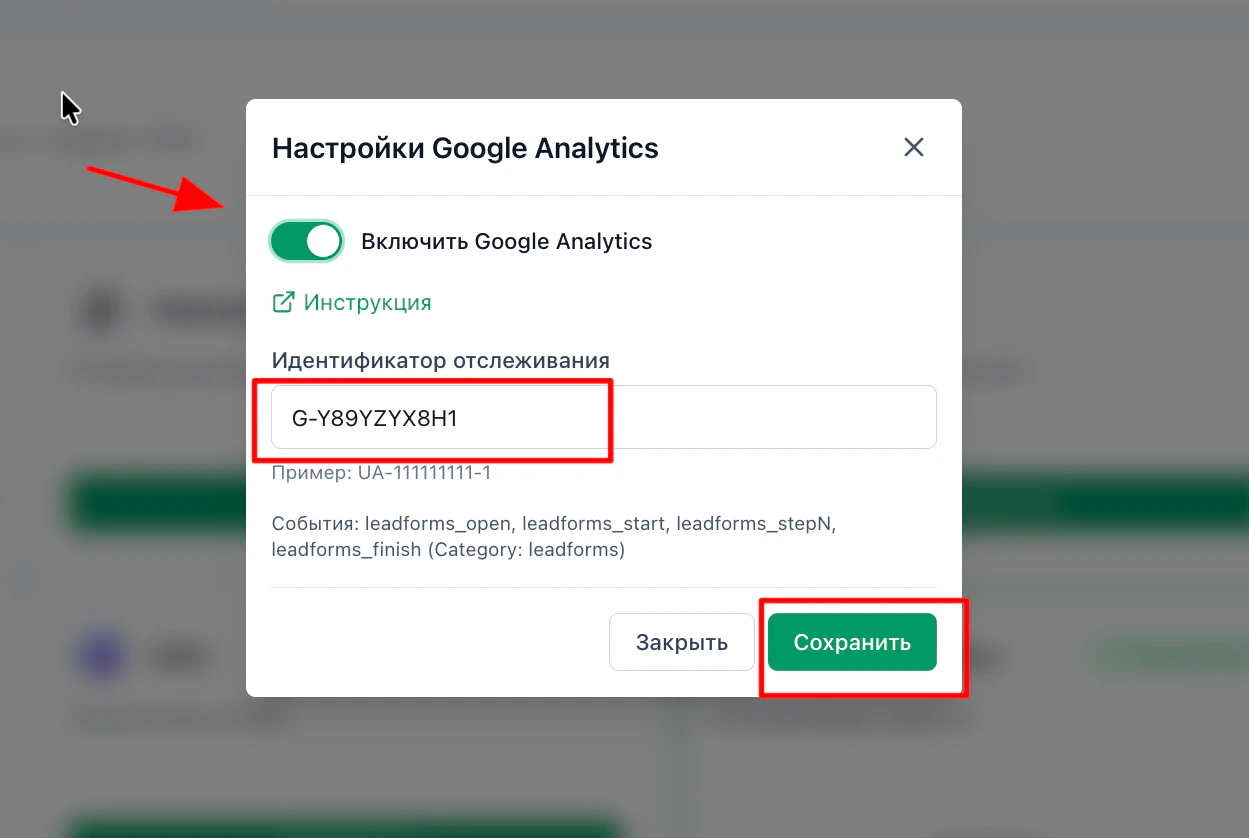
Turn on the toggle, paste the copied ID into its field and save
How to check that it works
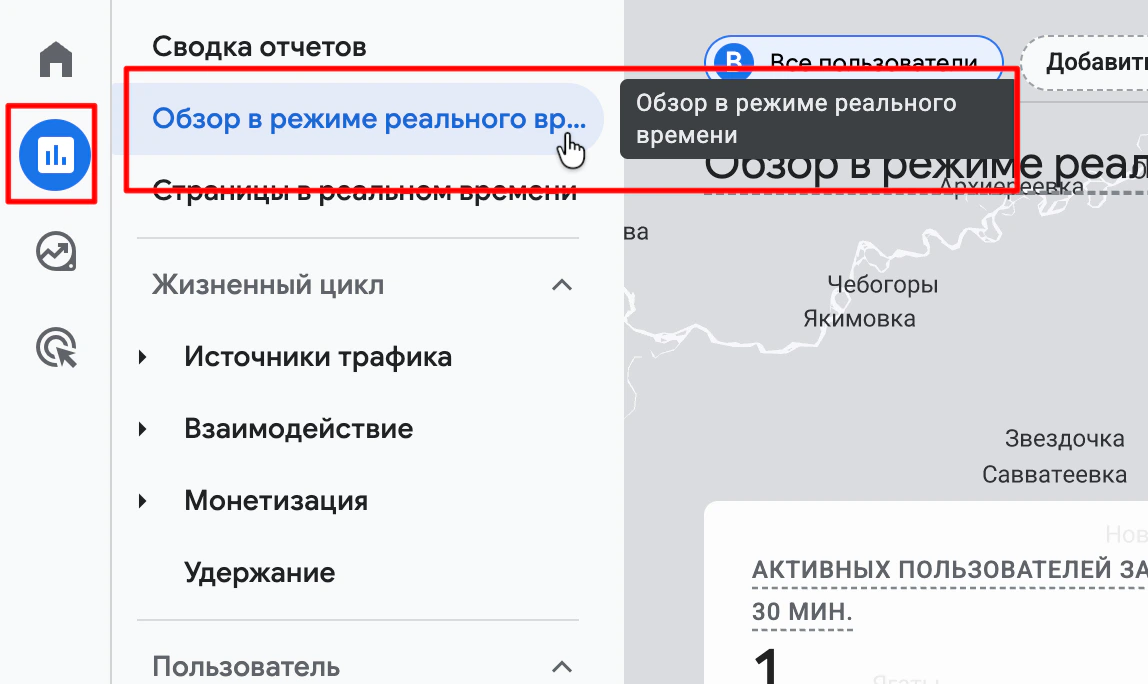
Open your quiz and, in Google Analytics, go to “Reports” → “Realtime”. If everything is set up correctly, you'll see yourself among the active users, and the quiz events will appear in the list.
How to mark quiz events as conversions
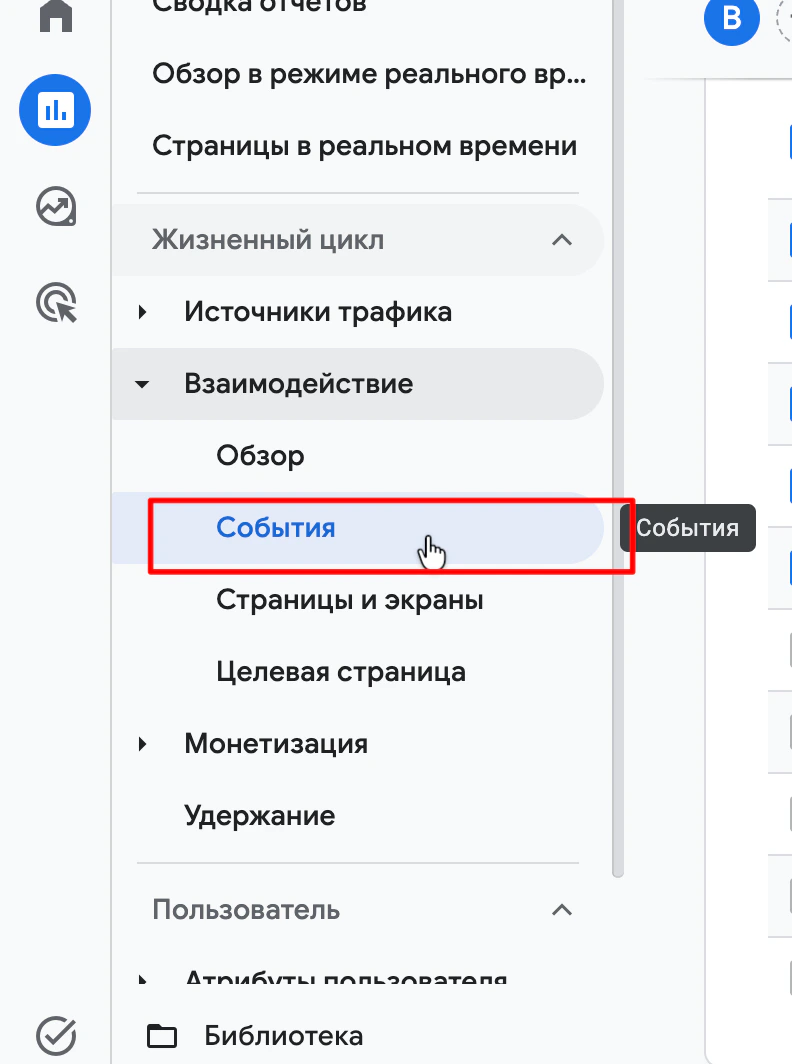
In Google Analytics reports, open “Engagement” → “Events”.
If the events tab is empty, wait up to 24 hours: that is how long Google Analytics takes to collect the quiz events.
If the events tab is empty, wait up to 24 hours: that is how long Google Analytics takes to collect the quiz events.
Having trouble with the setup?
If something doesn't work, and we'll sort it out with you.
