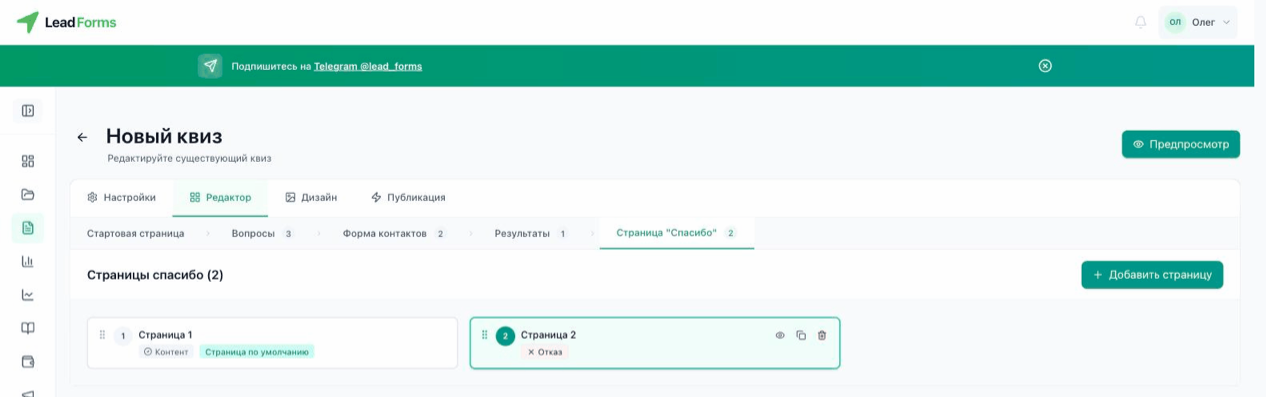
Choose the final screen type
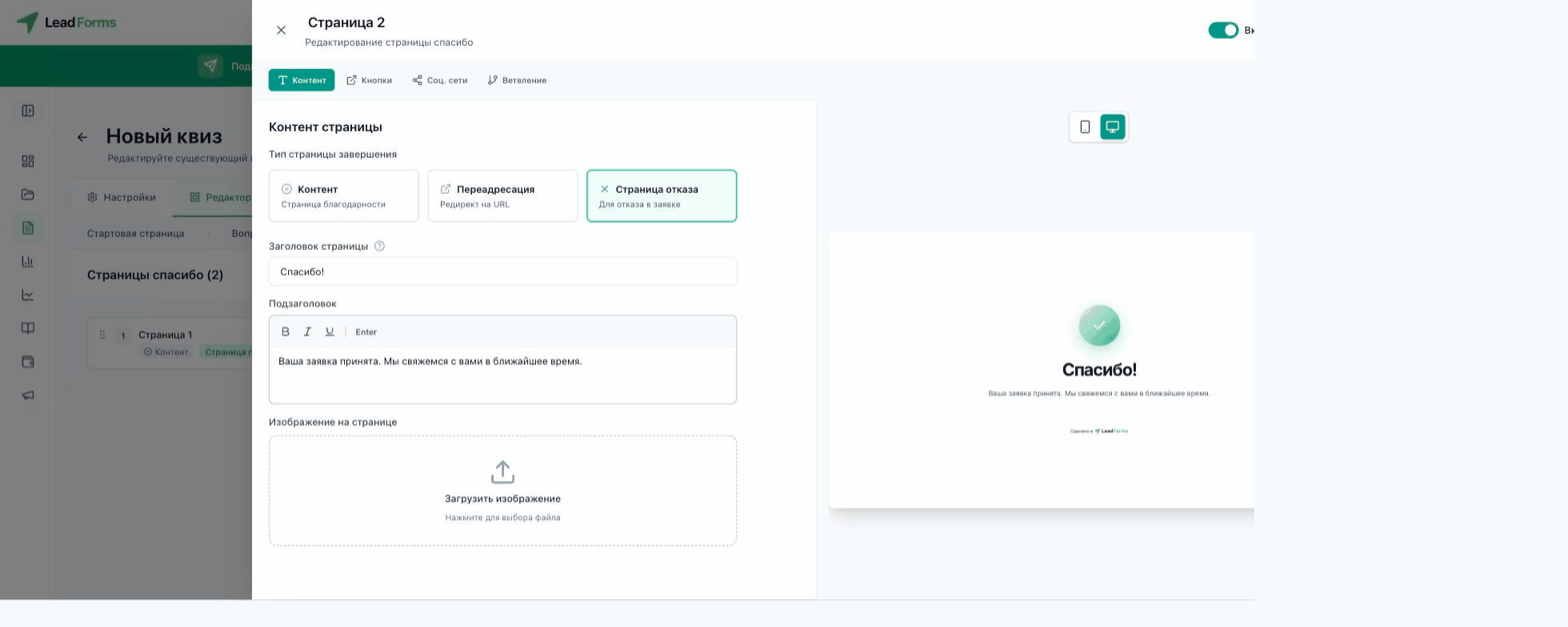
Open the quiz and go to the “Editor” tab → “Thank-you screen” step → the screen. On the “Content” tab, the “Final screen type” block has three options:
“Content”: a regular thank-you screen with a title, subtitle and image.
“Redirect”: sends the person to the URL you set right after they submit the form.
“Decline screen”: used when you need to turn down a request. It is covered in the guide “How to set up the decline screen”.
“Redirect”: sends the person to the URL you set right after they submit the form.
“Decline screen”: used when you need to turn down a request. It is covered in the guide “How to set up the decline screen”.
Additional tabs
On the “Buttons” tab you can add a button with any link, for example to your website or messenger. The “Social media” tab holds icons that link to your profiles.
Multiple thank-you screens
If the quiz has several contact forms, each one has its own thank-you screen with the same sequence number. The person sees the screen that matches the form they got.