

The longer the quiz, the fewer people reach the contact form. But cutting it down to three generic questions isn't the answer either: then the request arrives with no details and your sales rep still has to find everything out on the phone. Branching resolves this contradiction: each user sees only the questions that apply to them, and the rest are skipped automatically.
In your LeadForms dashboard this feature lives in the question editor; setup details are in the branching guide. In this article we look at what it's for, where it's used and which mistakes to avoid.
How branching works
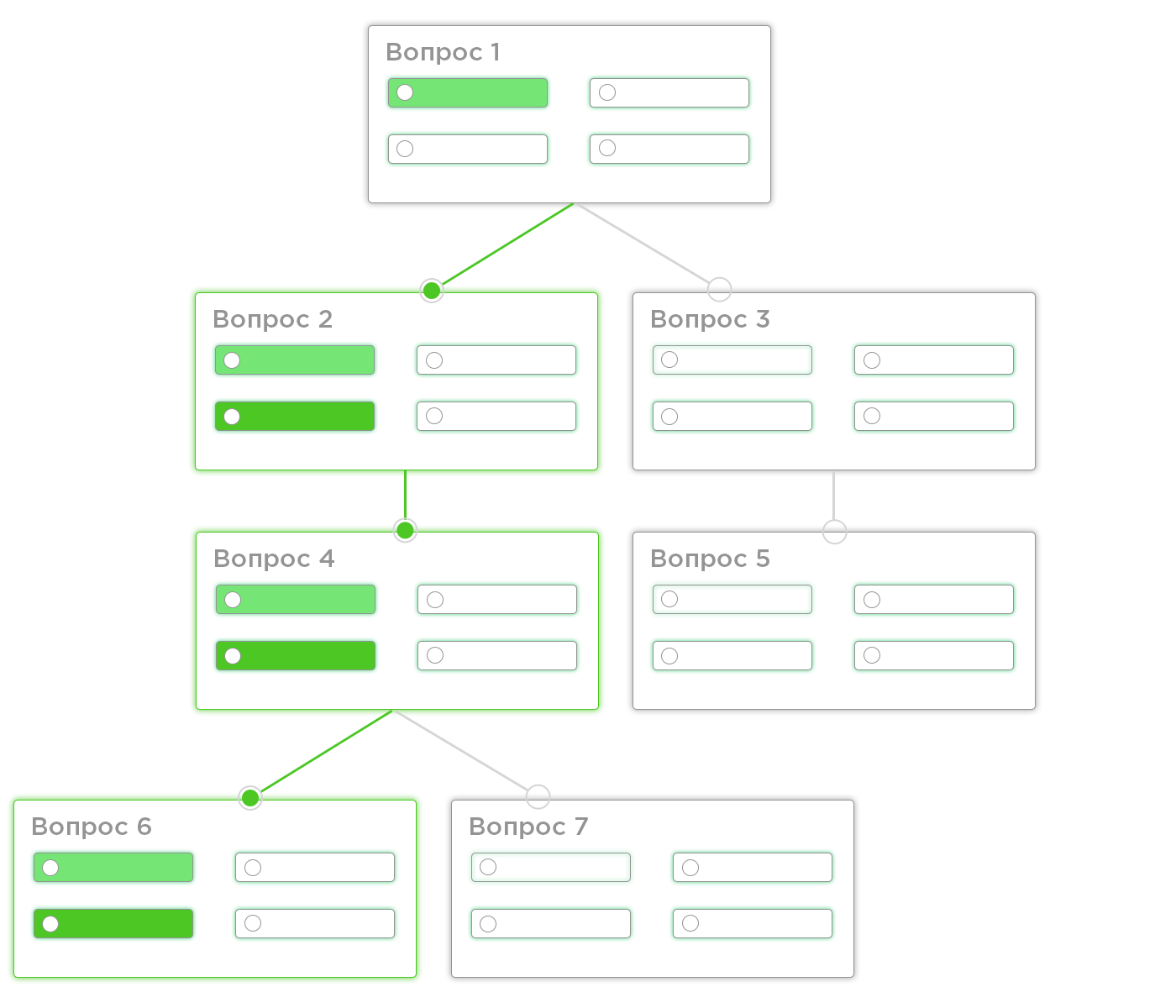
Branching lets you show a question only for certain answers to previous ones. The logic is set up inside the question itself, on the "Branching" tab, with the "Enable conditional logic" toggle.
Then you set the condition: which question and which answer must be selected for the current question to be shown. If the condition isn't met, the question is simply skipped: the user doesn't see it and goes straight to the next one.
Multiple conditions: "AND" and "OR"
With the "Add condition" button you can set several conditions at once. Between them a toggle label appears that sets how they are combined:
- "AND": the question is shown only if all the conditions are met;
- "OR": the question is shown if any of the conditions is met.
This lets you build not just simple forks, but more precise scenarios: for example, show the installation question only if the person chose a certain product type and also a city where you provide that service.
Where it's used
Specific questions instead of generic ones. In a custom kitchen quiz, the question "Which appliances do you want built in?" only makes sense for someone who chose a kitchen with appliances. For everyone else it's useless and just makes the path longer.
Different branches for different segments. In services you often need to separate individuals from companies: after the question "Is this for you or for your company?", one branch asks about budget and timeline, the other about number of employees and paperwork. It's the same quiz, but with two different scripts.
Filtering out poor fits. If you only work in one area or with a certain type of property, you can filter out everyone else with the first question: those who don't match get a short branch, and those who fit your profile get the full set of questions.
Qualification before the call. Branching helps you collect exactly the details each case needs: your sales rep gets a complete brief, not a bare phone number. More on this in the article how to segment leads with a quiz.
When you don't need branching
- you have a single product and a single script: every question is equally relevant to everyone;
- the quiz has 3–4 questions: complicating the logic to save one step makes no sense;
- the answers don't affect what you'll offer afterward.
Branching pays off where, without it, you'd have to ask everyone questions "just in case."
Common mistakes
- A tree that's too deep. Three or four levels of nesting are hard to maintain and easy to break when you make changes. One or two levels are usually enough.
- A condition that points to a later question. The logic should rely on what the user has already answered.
- Not testing every branch. After setting it up, go through the quiz with every answer option: that way you'll see skips and dead ends through the user's eyes.
- Branching instead of trimming. If there are too many questions to begin with, first check which ones are unnecessary: see how many questions a quiz should have.
FAQ
What happens if the condition isn't met?
The question is skipped: the user doesn't see it and goes straight to the next step that applies. No empty screen appears.
Can I set several conditions for one question?
Yes. The "Add condition" button adds as many conditions as you need, and the label between them switches the logic: "AND" means all must be met, "OR" means any one is enough.
Does branching affect quiz conversion?
It directly shortens the path: the person doesn't answer questions that have nothing to do with them. The shorter and more relevant the path to the form, the more likely the user is to reach the end.
Where do I set up branching?
In the quiz editor: open the question you want, go to the "Branching" tab and enable conditional logic. The step-by-step walkthrough is in the guide.
