

What you need
A verified Google Business Profile: you can’t add links without verification. The links section shows up for categories where Google supports actions: booking an appointment, making a reservation, ordering food or placing a shopping order.
Copy the quiz link
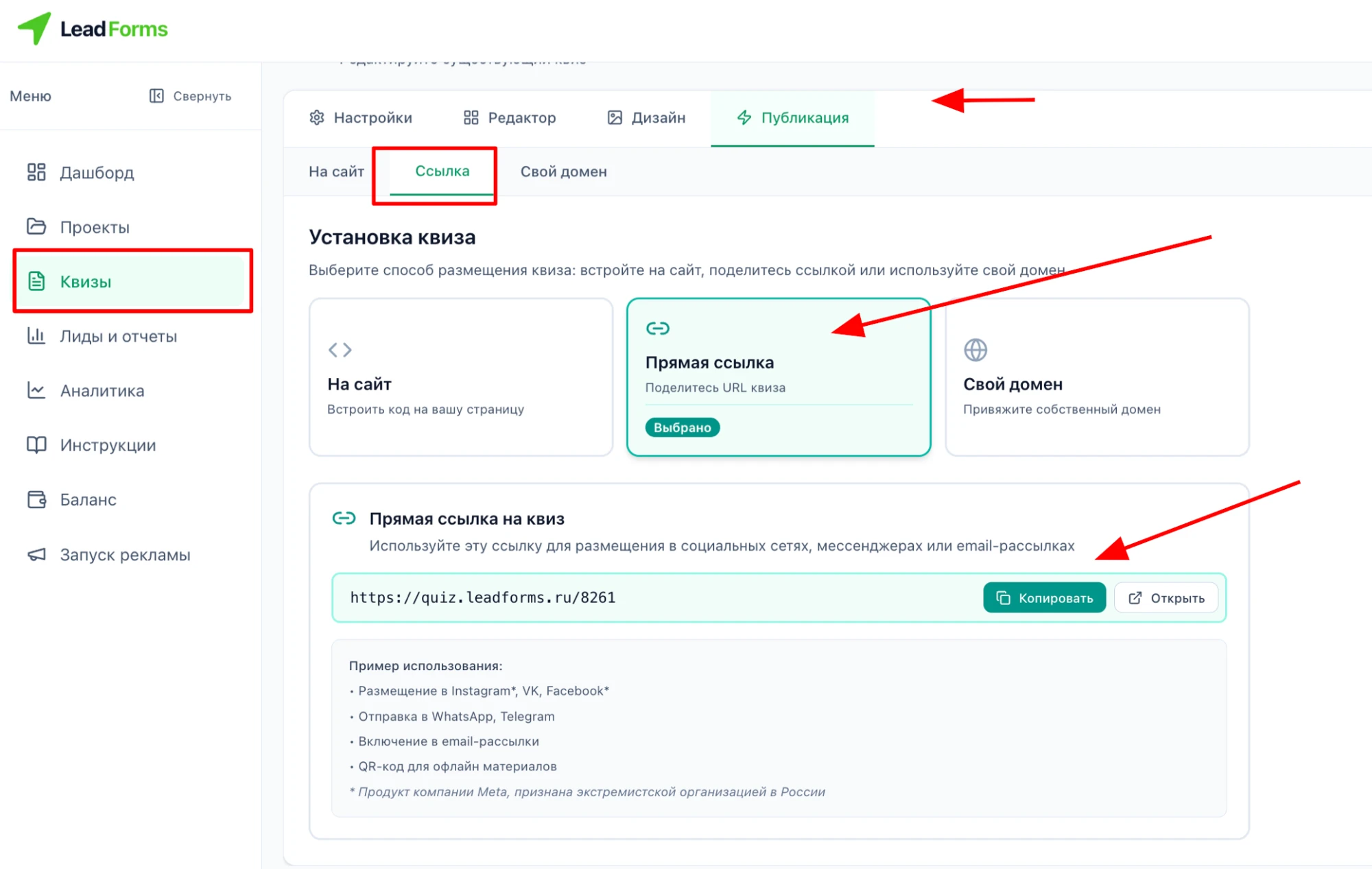
In LeadForms, open the quiz → “Publish” tab → “Link” and click “Copy”.
Add a source tag to the link
Add
?utm_source=google_maps to the end of the link, for example:https://quiz.leadforms.org/8261?utm_source=google_mapsThe tag is saved with the lead, so leads from Google Maps don’t get mixed up with the rest.
Open your Business Profile and choose the action type
In Google Maps, open your Business Profile, select “Edit profile” and choose the transaction type, such as an appointment or a reservation.
If you manage your profile from Google Search, open it and select “Booking”.
Add the quiz link
Select “Add link” (or “Add another link” if you already have one), paste the tagged quiz link and select “Save”.
If you have several links (up to 10 per category), use “Set preferred link” to choose the quiz: it will appear above the others, marked “Business preferred”.
Done! The quiz opens from the button on your Business Profile.
Google reviews the links on business profiles. To keep yours from being removed, it has to lead straight to the quiz: Google doesn’t accept shortened links or links to social networks and messaging apps. If you want the address to look like your own, connect the quiz to your own domain: see the guide “How to connect a quiz to your own domain”.
FAQ
No. The link from the “Publish” → “Link” tab opens the quiz on its own page, and leads from it arrive just like leads from a website. For the quiz to collect leads, it has to be published.
The link in your Google Business Profile is free. In LeadForms, you only pay for leads: 20 free leads when you sign up, no expiration, then from $0.20 per lead or unlimited from $19/month. Every feature, including a custom domain, is available on any plan.
Stuck with the setup?
If something does not work, and we will sort it out with you.
